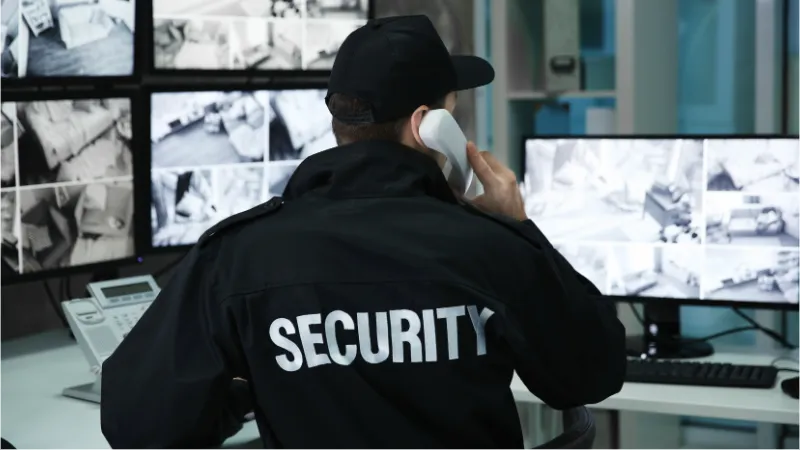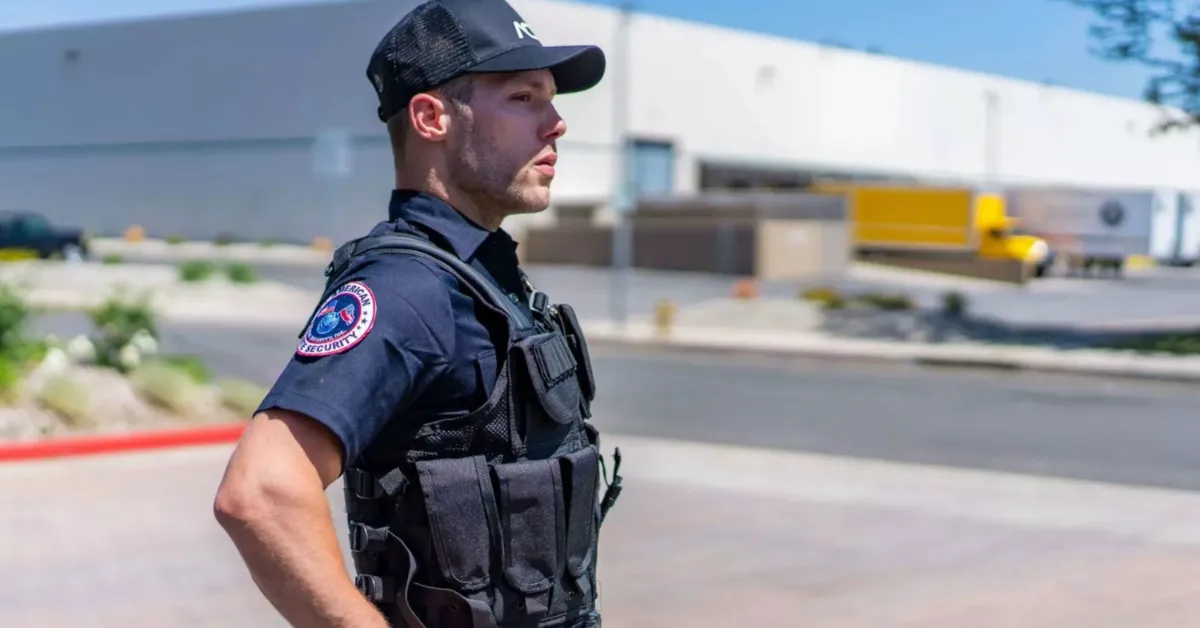
Every technology stack starts from the ground up. A security company that tries to deploy software without reliable hardware will generate frustration. A company that buys rugged devices without capable software will collect expensive paperweights. And both will struggle if they have not accounted for the specific challenges of operating in South Africa, load shedding, inconsistent rural connectivity, budget constraints, and a regulatory environment that includes POPIA and PSIRA requirements.
This guide builds a complete security technology stack layer by layer, from the physical hardware foundation through communication systems, management software, and finally a scaling strategy that matches technology investment to team growth.
Layer 1: Hardware Foundation
 Click to expand
Hardware is the base layer. Every other technology decision depends on the devices your guards carry being functional, durable, and available when they are needed.
Rugged Device Requirements
Security fieldwork is not gentle on equipment. Devices need to tolerate rain, dust, concrete drops, and temperature extremes that would destroy a consumer phone within weeks. The three specifications that matter most:
IP68/IP69K Ingress Protection
IP68 means full dust seal and submersion protection (typically rated for 1.5 metres for 30 minutes). IP69K adds resistance to high-pressure, high-temperature water jets. For guards posted outdoors, at industrial facilities, or in regions with heavy seasonal rainfall, IP68 is the minimum acceptable standard.
MIL-STD-810H Military Durability
This US Department of Defense testing standard covers drop impact (1.5 m onto concrete), vibration, humidity, altitude, and temperature extremes. A device carrying this certification has been subjected to controlled abuse that approximates real field conditions. It is the closest proxy the market has for a durability commitment from the manufacturer.
Battery Capacity: 8 000 mAh Minimum
GPS tracking, push-to-talk communication, and background data sync are battery-intensive processes. A guard running all three features across a 10-to-12-hour shift will drain a 5 000 mAh battery well before the shift ends. Devices with 8 000+ mAh batteries significantly reduce the risk of mid-shift power failure, a critical concern during load shedding when charging stations may be unavailable.
South Africa-Specific Hardware Considerations
Load shedding resilience: Battery capacity is not a luxury specification in South Africa. Stage 4+ load shedding can remove charging access for hours at a time. Devices with 10 000+ mAh batteries provide a meaningful buffer. Power banks rated for outdoor use (IP65+, solar-capable) serve as secondary backup.
Rural and township connectivity: Signal strength varies dramatically across South African geography. Devices with enhanced antenna designs, particularly the Blackview BV9300, tend to hold signal in areas where weaker radios drop out. If your operation covers semi-rural zones, mining sites, or dense township environments, antenna performance should rank alongside battery life in your selection criteria.
Heat tolerance: Summer temperatures in Limpopo, Mpumalanga, and the Northern Cape regularly exceed 35 degrees C. Devices rated for operating temperatures up to 60 degrees C avoid thermal shutdown during outdoor shifts.
Recommended Devices
| Device | Battery | IP Rating | MIL-STD-810H | Best For | Price (ZAR) |
|---|---|---|---|---|---|
| Oukitel WP36 | 10 600 mAh | IP68 | Yes | Long outdoor shifts, perimeter patrols | R3 000 – R4 500 |
| Blackview BV9300 | 15 080 mAh | IP68/IP69K | Yes | GPS-heavy tracking, mixed-signal areas | R4 000 – R5 500 |
| Samsung Galaxy A15 | 5 000 mAh | None | No | Indoor posts, concierge, reception | R3 000 – R4 000 |
Layer 2: Communication Systems
 Click to expand
Hardware without communication capability is a standalone device. Communication is what transforms individual guards into a coordinated team.
Push-to-Talk Over Cellular
PTT apps running on rugged smartphones have become the primary communication method for security teams that need instant voice contact with data integration. A single tap opens a voice channel while simultaneously transmitting the speaker's GPS position and device status.
What PTT over cellular provides:
- Immediate voice contact without dialling, one tap to talk
- Group channels organised by site, shift, or role
- GPS coordinates transmitted alongside every voice message
- Integration with management platforms for centralised coordination
- Range limited only by cellular coverage, not radio frequency
Hardware requirements for effective PTT:
- Integrated loudspeaker with noise suppression for outdoor environments
- A physical PTT button (dedicated hardware button, not a touchscreen target) for gloved or rapid activation
- Minimum 4G connectivity for consistent voice quality
- Battery headroom to support continuous PTT use across a full shift
Where WhatsApp Falls Short
Many smaller security teams default to WhatsApp for communication. While accessible, it was not designed for operational coordination:
- Voice notes queue up unread during high-pressure moments
- No live, open-channel awareness across the team
- No integration with tracking, assignment, or incident management systems
- No structured audit trail for compliance or client reporting
- Message deletion and editing undermine record integrity
WhatsApp works for informal coordination. It does not work as a command-and-control communication layer.
When Analogue Radios Still Apply
Traditional two-way radios remain relevant in specific scenarios:
- Sites with zero cellular coverage (deep rural, underground, mining operations)
- Backup communication during extended network failures
- Contractual requirements specifying radio-based communication
A practical approach is to maintain analogue radios as a contingency while running PTT as the primary channel. This covers both standard operations and edge-case scenarios without doubling equipment costs across the full team.
Layer 3: Body Cameras and Visual Accountability
 Click to expand
Body-worn cameras add a visual evidence layer to security operations. They protect guards against false accusations, provide incident documentation, and signal operational professionalism to clients.
Core Specifications
- Resolution: Full HD (1080p) minimum for usable playback in both daylight and low-light conditions
- Storage: On-device storage with wireless or cloud upload capability to reduce manual handling
- GPS metadata: Every recorded clip should carry embedded location data for verification
- Tamper-proof access: Role-based permissions on footage storage and retrieval
- Battery life: Minimum 8 hours of continuous recording to cover a standard shift
POPIA Legal Requirements
South Africa's Protection of Personal Information Act (POPIA) applies directly to body camera footage. Non-compliance carries regulatory risk and financial penalties.
Key obligations:
- Notification: Individuals being recorded must be informed that recording is in progress. Visible signage at access points and verbal notification during interactions are standard practice.
- Purpose limitation: Footage may be collected and stored only for defined operational and legal purposes. Using recordings for purposes outside the stated scope (marketing, social media, employee shaming) violates POPIA principles.
- Storage security: Footage must be stored in a manner that prevents unauthorised access, alteration, or deletion. Cloud storage with encryption and access controls is the practical standard.
- Retention periods: Define and enforce retention schedules. Footage not related to an active incident or investigation should be deleted within the defined period.
- Data subject rights: Individuals captured on footage may request access to recordings involving them. Your retention and access processes should accommodate this.
Deployment Priorities
Not every guard needs a body camera from day one. Prioritise deployment based on risk and value:
- High-threat sites: Armed response, cash handling, high-crime locations
- Client-facing roles: Access control, visitor management, corporate reception
- Incident-prone posts: Sites with a history of confrontations, false complaints, or disputes
- Audit and compliance contexts: Contracts requiring visual documentation of security activities
Estimated pricing: R1 500 – R3 500 per unit, depending on resolution, storage capacity, and cloud connectivity features.
Layer 4: Security Management Software
 Click to expand
Hardware collects data. Software turns that data into operational intelligence. A security management platform is the system that ties devices, guards, and decision-makers together.
Essential Software Capabilities
GPS Tracking
Live positioning of every guard currently on shift, displayed on a map within the control room dashboard. This enables location visibility and location-based assignment during emergencies. GPS tracking for security guards is a core capability of any serious management platform.
Incident Reporting
Digital reports filed from the field, enriched with photographs, GPS coordinates, and precise timestamps. Reports sync to the dashboard and are visible to clients through role-based access in the same app. This creates searchable, auditable records that support client reporting, insurance claims, and regulatory compliance.
Patrol Verification
QR code or NFC-based checkpoint systems that log each scan with time, date, and GPS coordinates. This produces documented proof that patrols were physically completed, addressing the accountability gap that analogue systems cannot close. Patrol management software should support checkpoint management, checkpoint generation, and completion monitoring.
Panic and Emergency Alerts
One-tap activation that transmits the guard's GPS position, identity, and device status directly to the control room. This is designed to reduce the time between a threat emerging and a response being assigned. Mobile panic alert systems should send push notifications to all admins when incidents are created.
Shift and Duty Management
Shift tracking (guards self-start from the mobile app) and real-time duty status for every guard. Managers can see who is on shift and who is available from one dashboard.
QR Patrol Verification in Detail
QR-based patrol verification deserves specific attention because it is both highly effective and remarkably affordable.
How it works in practice:
- Generate unique, cryptographically signed QR codes within the management dashboard
- Print the codes at any local print shop, typically around R0.60 per sticker
- Mount stickers at designated checkpoint locations (gates, corridors, perimeters, stairwells)
- Guards scan each code using the mobile app during their route
- Each scan logs the time, GPS coordinates, and guard identity automatically
- Managers and clients see completed routes, missed checkpoints, and timing deviations in real time
Why QR works well in South Africa:
- Extremely low cost per checkpoint (printing is cheap and widely available)
- No special hardware required beyond the guard's smartphone
- Works in offline mode, scans queue locally and sync when connectivity returns
- GPS capture per scan for audit trail, supporting accountability and fraud deterrence
Software Selection Criteria
When evaluating security management platforms, test against these requirements:
| Capability | Why It Matters |
|---|---|
| Offline mode with auto-sync | Load shedding and rural connectivity gaps demand it |
| Multi-site support | Most growing companies operate across more than one location |
| Role-based access | Managers, supervisors, and guards need different views and permissions |
| Client reporting | Documented proof of service delivery supports contract retention |
| MDM (Mobile Device Management) | Separate tool to lock devices to approved apps, block distractions, push configurations remotely (not part of guard management software) |
| Scalability | The platform should handle 5 guards or 500 without architectural changes |
MyProtektor is designed to consolidate these capabilities into a single platform: GPS tracking, incident reporting, patrol verification, panic alerts, and shift tracking, accessible through both a mobile app and a web-based control room dashboard.
Layer 5: Scaling Technology with Team Growth
 Click to expand
Technology investment should match operational complexity. A team of five guards does not need the same infrastructure as a company managing 200 across multiple sites. The key is to start with a foundation that scales without requiring a platform migration as the company grows.
Small Teams (1–10 Guards)
Priority: Core digital operations that replace manual processes and provide basic accountability.
Technology focus:
- Rugged smartphones (one per guard)
- Mobile app with GPS tracking and incident reporting
- QR patrol checkpoints at key locations
- Panic alert capability
What to defer: Full dashboard analytics and body cameras. These add value but are not essential at this stage.
Estimated technology cost per guard: R150 – R300/month (platform subscription + mobile data)
Growing Companies (11–50 Guards)
Priority: Operational coordination across multiple sites and structured client reporting.
Technology additions:
- Control room dashboard for centralised oversight
- PTT communication channels organised by site and shift
- Shift tracking and duty management (guards self-start from mobile)
- Structured client reports generated from platform data
- Body cameras for high-risk deployments
Operational shift: At this stage, the company transitions from individual guard management to team coordination. The platform needs to support multiple supervisors, site-level views, and client-specific reporting.
Estimated technology cost per guard: R200 – R400/month
Established Operations (51–100+ Guards)
Priority: Enterprise-grade oversight, analytics, and integration with broader business systems.
Technology additions:
- Advanced analytics and trend reporting across sites
- Incident and patrol reports for contract documentation
- Full body camera deployment with POPIA-compliant storage
- Built-in QR-based access control and visitor verification (no external hardware)
- 5-role permission hierarchy (LiteClient, Client, Guard, Admin, Owner)
Operational shift: Data becomes a strategic asset. Incident trends, patrol completion rates, and response times feed into business decisions, client negotiations, and operational improvements.
Estimated technology cost per guard: R250 – R500/month
Scaling Summary
| Team Size | Core Stack | Key Additions | Monthly Per-Guard Estimate |
|---|---|---|---|
| 1–10 | Rugged phone, GPS, QR patrol, incident app | Panic alerts | R150 – R300 |
| 11–50 | Above + dashboard, PTT, shift tracking | Body cameras, client reports | R200 – R400 |
| 51–100+ | Above + analytics, reports, QR access control | Full camera fleet, role-based hierarchy | R250 – R500 |
South African Operational Challenges: Practical Responses
Load Shedding
- Select devices with 10 000+ mAh batteries as the default
- Deploy IP65-rated power banks at supervisor vehicles and site offices
- Verify that all software supports full offline mode with automatic sync on reconnection
- Consider solar charging solutions for remote or rural sites
Rural and Township Connectivity
- Prioritise devices with enhanced antenna performance (Blackview BV9300 performs well here)
- Confirm that your management platform queues all data locally during connectivity gaps
- Test PTT functionality under low-signal conditions before full deployment
- Maintain analogue radio backup for sites with consistently poor coverage
Budget Constraints
- Start with smartphones that serve multiple functions (tracking, communication, reporting, patrol verification) rather than purchasing separate devices for each capability
- Use QR stickers for patrol verification, the cheapest checkpoint technology available
- Choose a platform with tiered pricing that allows you to start small and expand features as revenue supports it
- Factor total cost of ownership into device decisions, not just purchase price
POPIA and PSIRA Compliance
- Body camera footage storage must meet POPIA requirements for security, purpose limitation, and retention
- Incident reports should carry GPS and timestamp metadata for PSIRA audit readiness
- Guard data (locations, shift records, personal information) must be stored with appropriate access controls
- Platform providers should offer data residency information and encryption standards
Assembling the Full Stack
A complete security technology stack in South Africa in 2026 looks like this:
| Layer | Components | Purpose |
|---|---|---|
| Hardware | Rugged smartphones (IP68, MIL-STD-810H, 8 000+ mAh) | Durable field devices that survive conditions and shifts |
| Communication | PTT over cellular, analogue radio backup | Instant voice and data contact across the team |
| Visual Evidence | Body cameras (POPIA-compliant) | Incident documentation and operational accountability |
| Software | Management platform (GPS, patrols, incidents, panic, shift tracking) | Centralised operational intelligence and control |
| Scaling | Tiered deployment matched to team size and contract requirements | Controlled growth without platform migration |
Each layer depends on the one below it. Software without reliable hardware generates frustration. Hardware without capable software collects dust. And neither delivers full value without a scaling plan that matches investment to actual operational needs.
MyProtektor is designed to provide Layers 4 and 5 of this stack, the management software and the scaling framework, while integrating with the hardware and communication tools your team already carries or plans to acquire.
Explore specific capabilities:
- GPS Tracking for Security Guards, live guard positions on one map
- Patrol Management Software, QR-verified patrols with GPS proof
- Mobile Incident Reporting and Panic Alerts, field reporting and emergency response
- Shift and Duty Management, know who is on duty at all times
- Control Room Dashboard, centralised operational oversight
- Access Control and Visitor Verification, QR-based entry management
- Best Security Guard Management Software, full platform overview
Contact us at info@myprotektor.co.za | View pricing plans